
A New Step in the GeoGirafe Journey!
This new version continues to evolve GeoGirafe into an increasingly user-oriented tool, with numerous improvements designed to simplify access to data, personalize the user experience, and make the viewer easier to use on a daily basis.
Discover the main new features included in this release.
A Smarter Search Experience
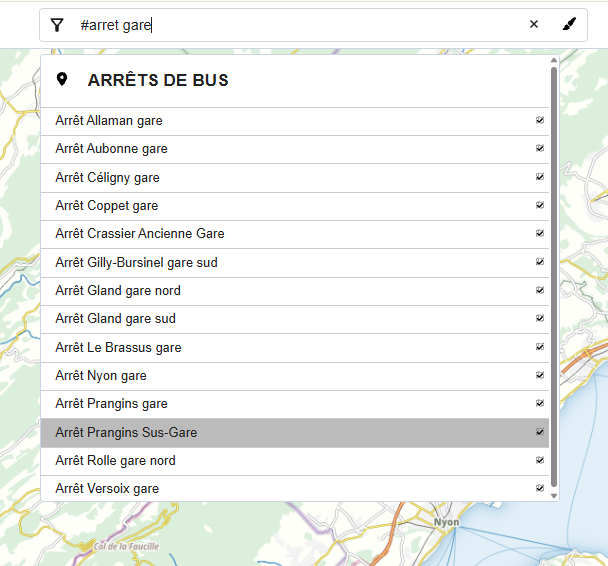
The search functionality has been enhanced with the ability to refine results using category filters. These categories can be configured in the application using specific keywords introduced with the characters #, !, :, ?, and \.
This improvement makes it easier to structure search results and helps users find the data they are looking for more quickly, particularly when the catalogue contains a large number of layers or datasets.
Another new feature is available when adding a layer group to the layer tree. A “Complete this theme” button is now available, allowing users to add all the other datasets belonging to the same theme with a single click, without having to search for and add each layer individually.
A simple way to explore all the available data related to a specific topic more easily.
A More Flexible Interface
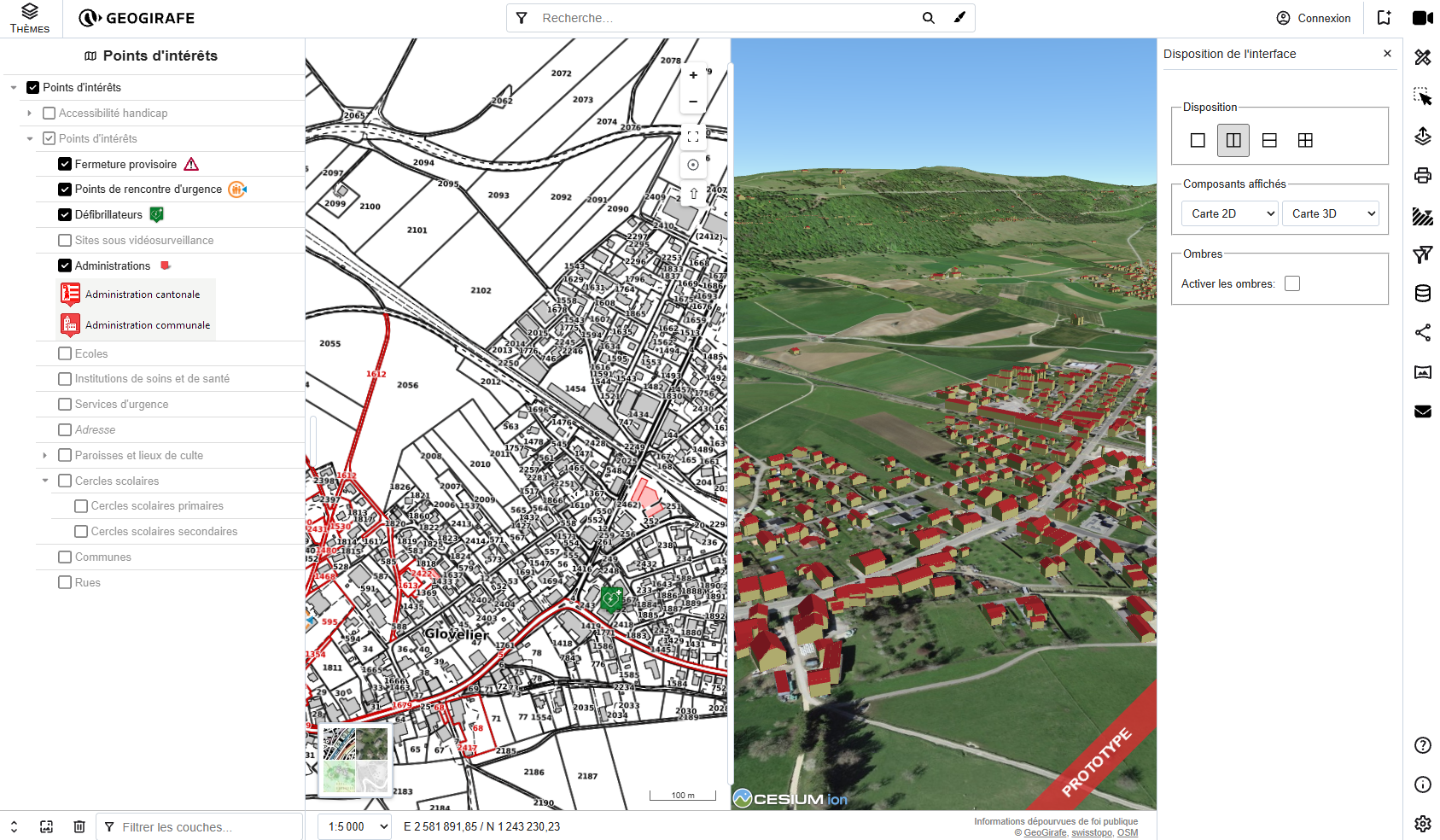
The “Interface Layout” tool is also becoming more flexible, offering new possibilities when both 2D and 3D views are enabled.
Users can now choose between several layouts:
-
A single view: display either the 2D or the 3D map.
-
A split view: display the 2D and 3D maps simultaneously, with the option to split the interface horizontally or vertically.
-
A four-panel view: use four spaces to combine the 2D and 3D views with other application components. When no additional components are configured, some of the views will naturally remain empty.
This new layout system gives users greater freedom to adapt the interface to their needs and to the context in which they are working.
Easier banner customization
Customizing the application banner has also been simplified. Several options can now be configured directly in the config.json file, including:
-
a light and dark logo;
-
the application title, with the option to choose whether it should be displayed in the banner;
-
an application description;
-
whether or not to enable the prototype ribbon.
These options make it easier to customize the identity and appearance of a GeoGirafe portal without having to modify the application’s code directly.
config.my-geogirafe.json

"branding": {
  "appTitle": "My app Title",
  "logo": "https://my-app.org/logo.png",
  "logoDarkMode": "https://my-app.org/logo-dark.png",
  "description": "My description",
  "showAppTitleInHeader": true,
  "prototypeBanner": true
}
A More Personalized Experience
User preferences have also been improved in this new version.
They are now stored on the server, in the back end, rather than being stored exclusively in the browser. This means that user preferences can be retained independently of the browser or device being used, while also providing more centralized management of this information.
Bookmarks have also been improved: generated links now use a short URL service. Bookmarks can therefore be shared more easily while keeping URLs shorter and more convenient.
Making Feedback Easier
GeoGirafe also makes it easier for users to send feedback to application managers.
A new speech bubble icon, located at the bottom of the layer tree, provides quick access to the feedback functionality.
The goal is to make it easier and more visible for users to send a comment, suggestion, or report directly from the interface.
Richer Data and Content
The results window now supports embedded content using the <iframe> tag.
This improvement makes it possible to display certain external or embedded content directly within the results, providing new opportunities to enrich the information presented to users.
And what’s new for mobile?
Finally, the mobile interface now includes the sharing tool.
Users can now more easily share a map or view directly from their mobile device, bringing the mobile experience closer to the one available on desktop.
With GeoGirafe 1.2.0, the journey continues!
This release brings new ways to search, explore, personalize and interact with geographic data, while making GeoGirafe increasingly intuitive and user-oriented.
And this is only the beginning: GeoGirafe 1.3.0 is already in the works and is planned for the end of the year.
Stay tuned for what’s next!