
Improved precision in drawing tools, better navigation, and a more flexible API for advanced integrations.
This past month, GeoGirafe has evolved with a strong focus on usability, precision, and extensibility.
Several improvements enhance the overall user experience, from a smoother onboarding flow to more intuitive navigation between map objects and external routing tools. At the same time, drawing capabilities have been significantly upgraded, offering more precise geometry handling, better constraints, and additional visual feedback such as azimuth and measurements.
On the technical side, the API has been extended to provide greater flexibility and control, enabling more advanced integrations and customization options.
Together, these updates make GeoGirafe more powerful for both end users and developers, while keeping the experience simple and efficient.
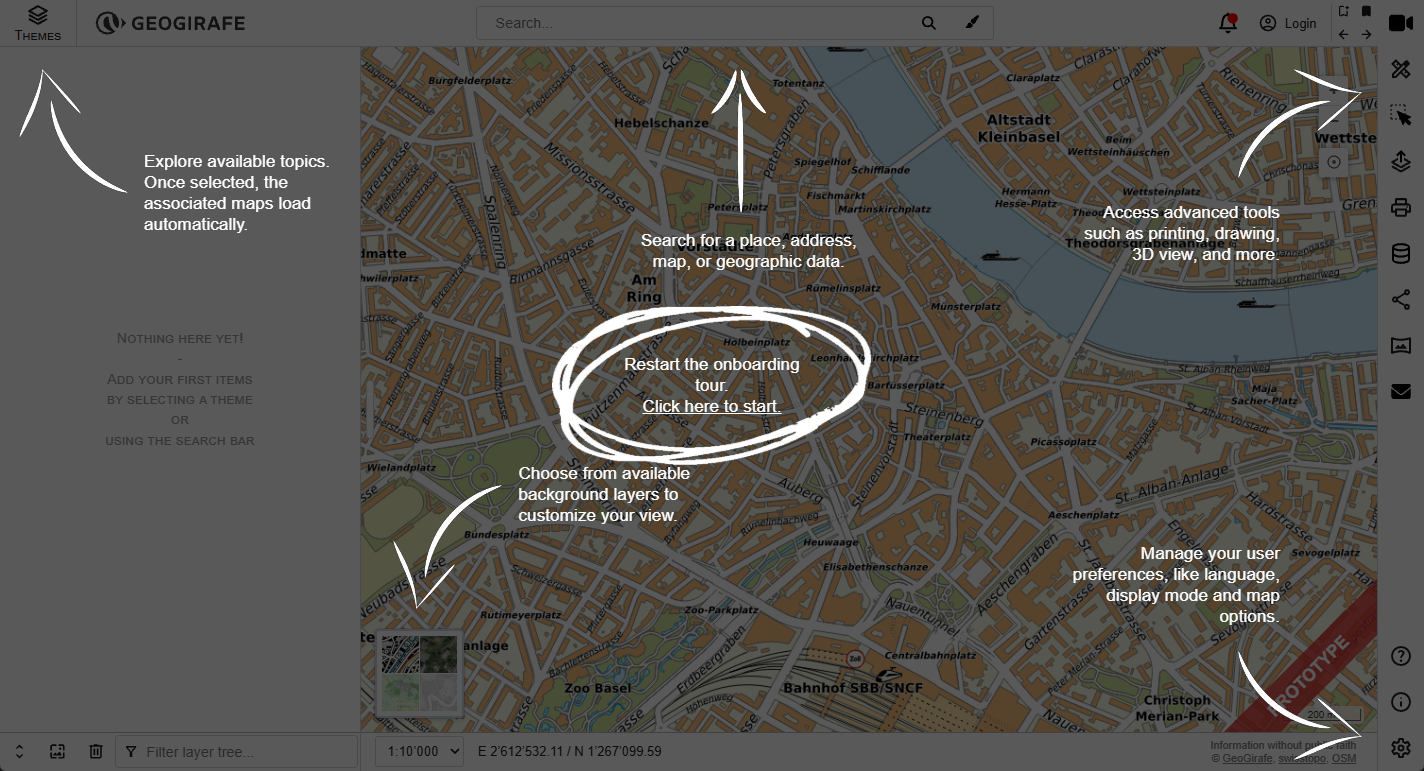
Improved Onboarding Experience
The onboarding flow has been refined for better usability:
- The onboarding state is now stored in browser (Local Storage) ;
- Users can restart the onboarding anytime via the Help screen.
This ensures a smoother experience, even after the first visit.
Navigate to Selected Objects
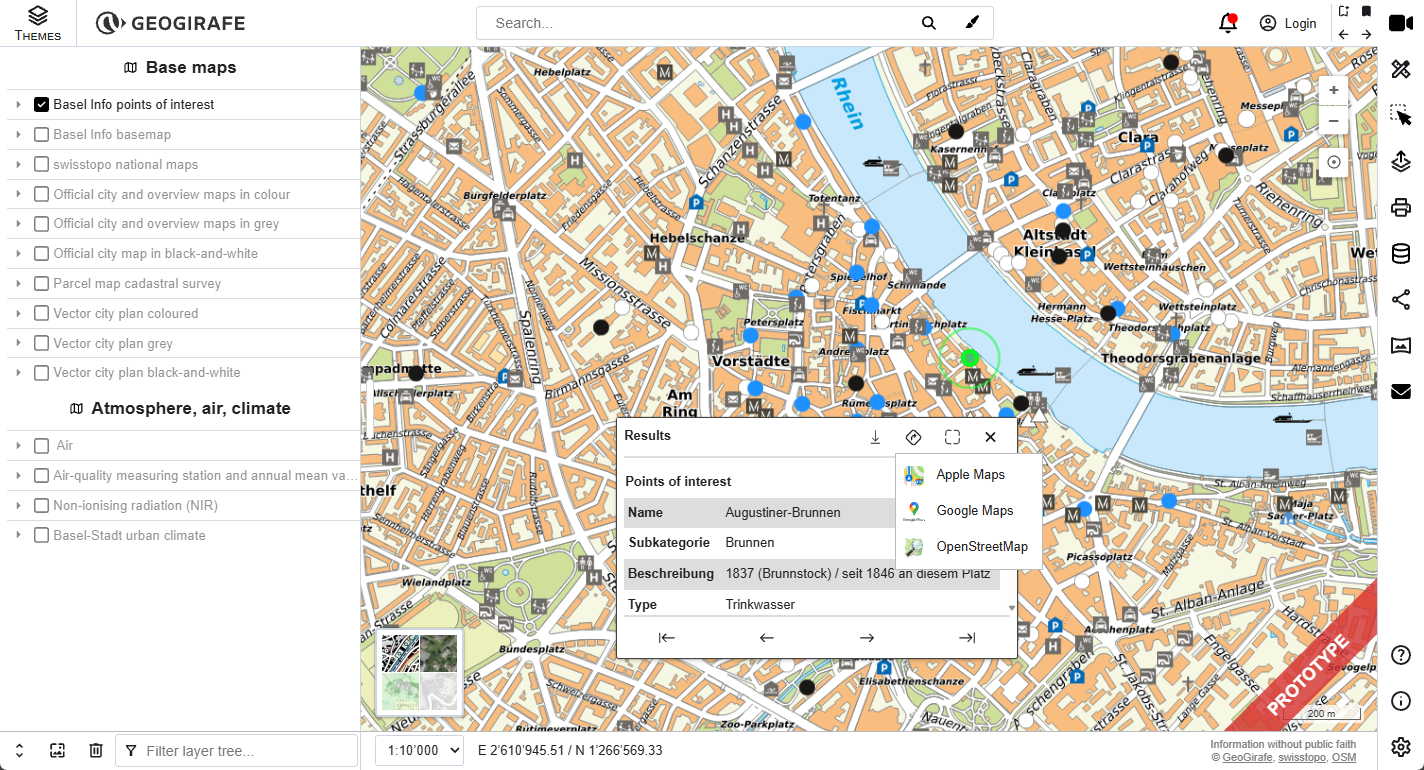
A new feature has been added to the selection interfaces:
- A navigation button is now available when selecting an item, both on desktop and mobile;
- Users can choose their preferred navigation provider: Apple Maps, Google Maps and OpenStreetMap.
This makes it easy to move from map exploration to real-world navigation.
Enhanced Drawing Tools
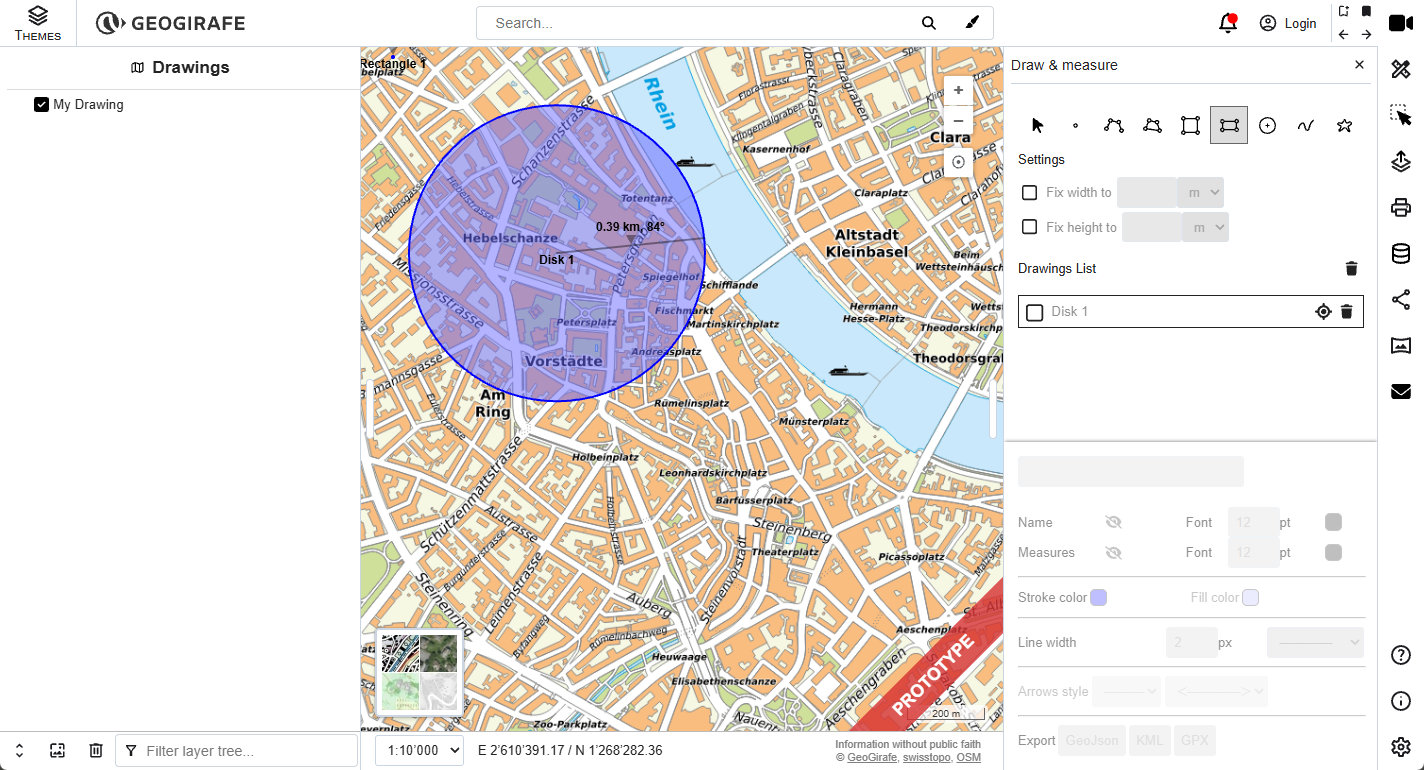
Drawing capabilities have been significantly improved to provide more control and precision:
- Rectangles and squares now preserve their shape when being modified
(based on an advanced OpenLayers implementation) - Azimuth is displayed when drawing circles, along with the radius
- Predefined dimensions for shapes: users can set width and height for rectangles and define side length for squares
- Constraint controls allow users to maintain fixed dimensions while drawing directly on the map
These enhancements make drawing more accurate and suitable for professional use cases.
Improved Theme Selector
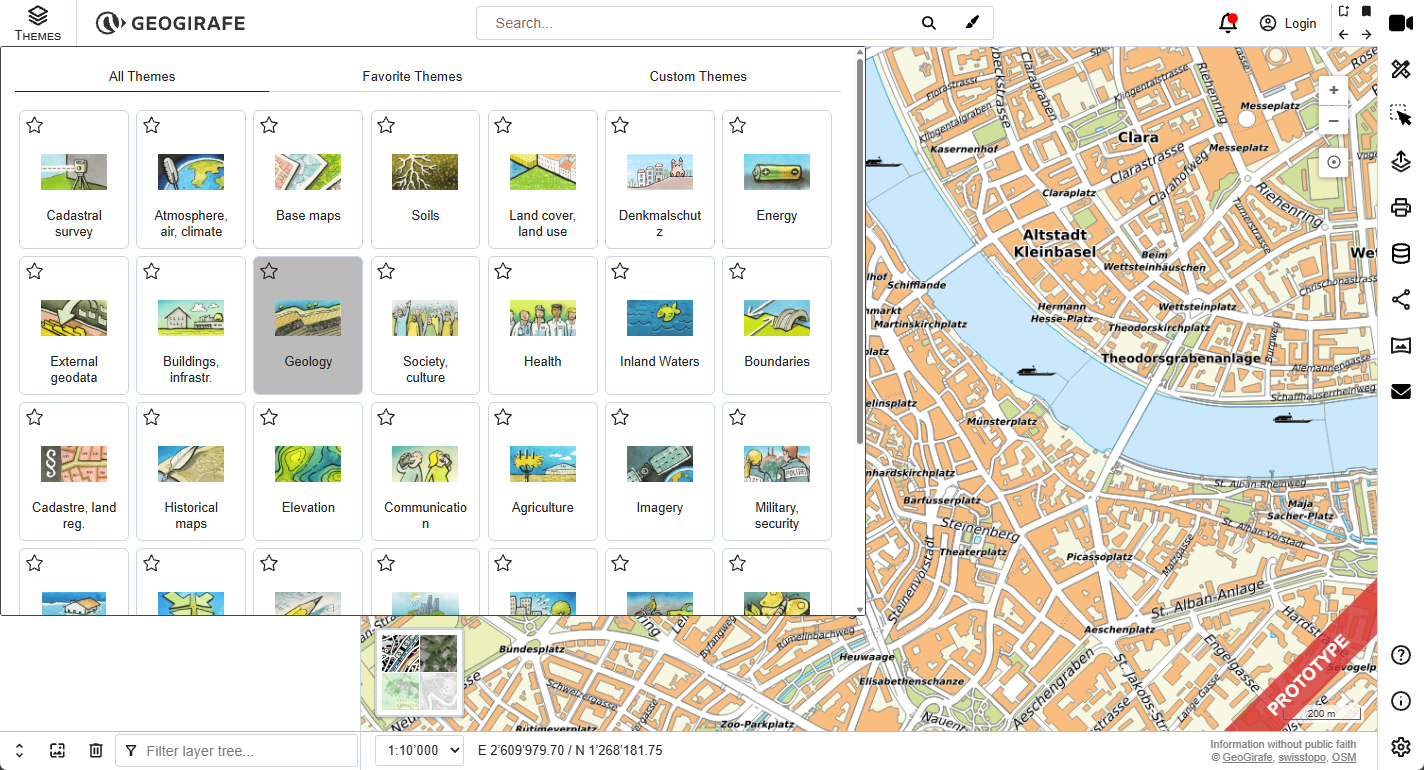
The theme selector has been redesigned for better organization:
- Introduction of three tabs: All themes, favorite themes and custom themes (user-defined)
- Themes are now displayed in a card-based layout
This provides a clearer and more personalized browsing experience.
API Extensions
The API has been extended to offer more flexibility and control:
- The API interface can now be configured via the config file
- A new parameter has been introduced, extending permalink capabilities to control: crosshair, tooltip and marker
- The API now provides access to additional components and controls, including: layers (with default configuration), basemap selector, search bar and selection box
- Updated Vite to a newer version
These updates make it easier to build advanced integrations with GeoGirafe.
This update brings meaningful improvements across the board:
- Better user experience (onboarding, navigation, themes)
- More powerful and precise drawing tools
- A richer and more flexible API
GeoGirafe continues to evolve into a robust and adaptable mapping platform